What it is
TOSEMU runs well behaved programs written for the Atari ST on a modern Linux machine. The 68k runs on an emulated CPU. System calls are intercepted and run in the host environment.
The result is that an ST application running fully integrated with your modern Linux desktop. Two worlds, one system.
Why it is not a classical emulator
A classical emulator recreates the machine and runs the operating system inside the emulator. What you get is an Atari ST in a window. The ST is separated from the host system by that pesky window border.
TOSEMU takes the other route. Similar to what Wine does for for Windows: emulate the instruction set, and reimplement the operating system.
TOSEMU
- Emulates only the CPU; the rest is translated to host calls
- GEMDOS, BIOS, XBIOS and the AES are reimplemented
- One real window per GEM window, dialog and menu
C:is your file system, as it is- The desktop is your desktop
A classical emulator
- Emulates the hardware: shifter, MFP, FDC, ACIA
- One window containing a whole screen
- Files live in a disk image you mount
- The desktop inside is the Atari desktop
The AES and VDI implementation means that every ST window, every ST pixel, is a window and pixel on the host system. The ST windows live intertwined with the host system. With Wayland client decorations, the windows even look like proper ST windows while being fully integrated.
The same goes for all system calls. Opening a file, opens the file on the system. Accessories show up in the host's system tray. Each TOS process is a separate Linux process.
The TOSEMU project is based on the EmuTOS. For instance, EmuTOS VDI has been ported to run host on the host. Lines, ellipses, and text are drawn by the same code an ST would have used, but runs on the host instead.
See it running
Screenshots
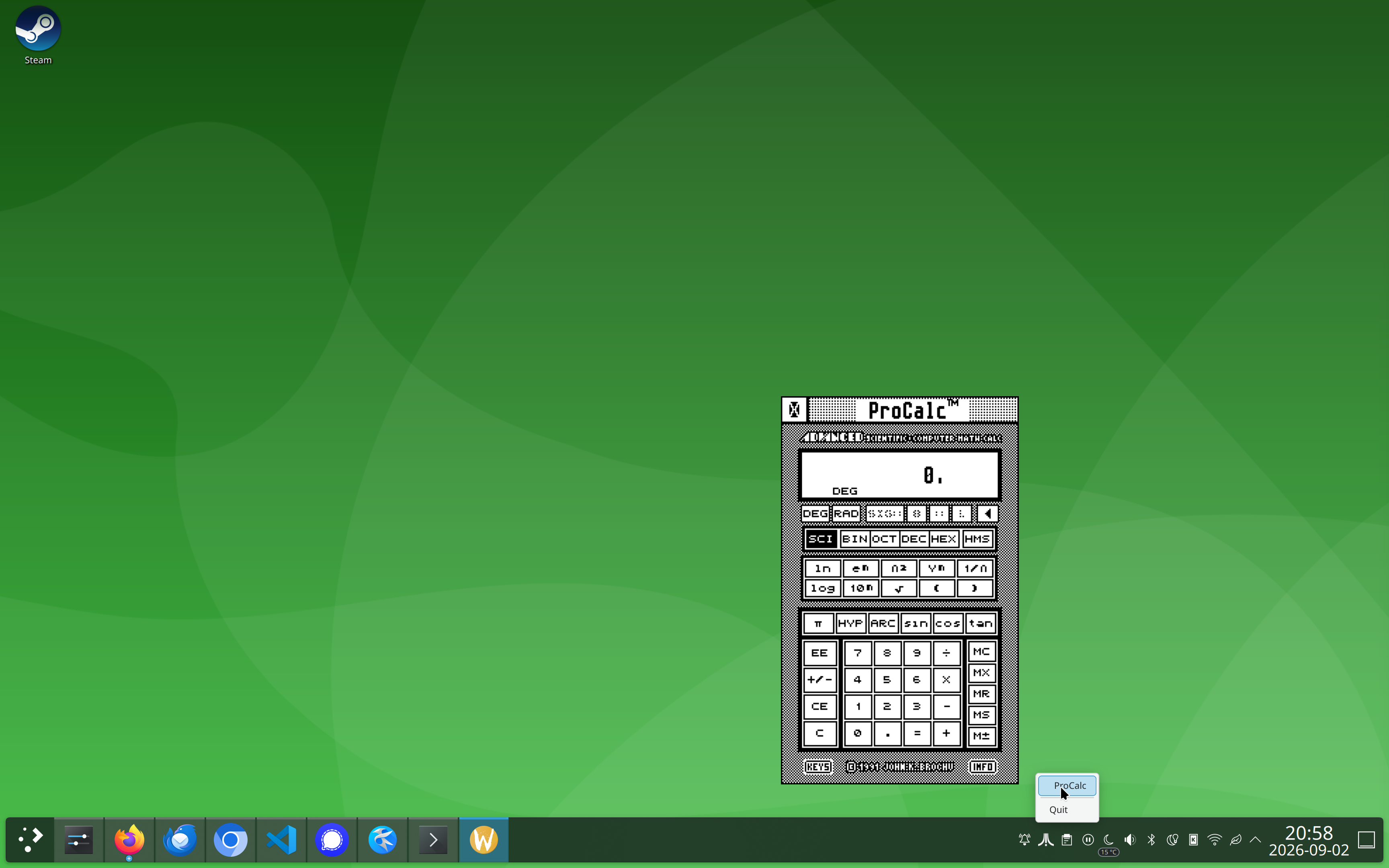
.ACC files from a given directory.
They also appear in the Desk menu of ST programs.
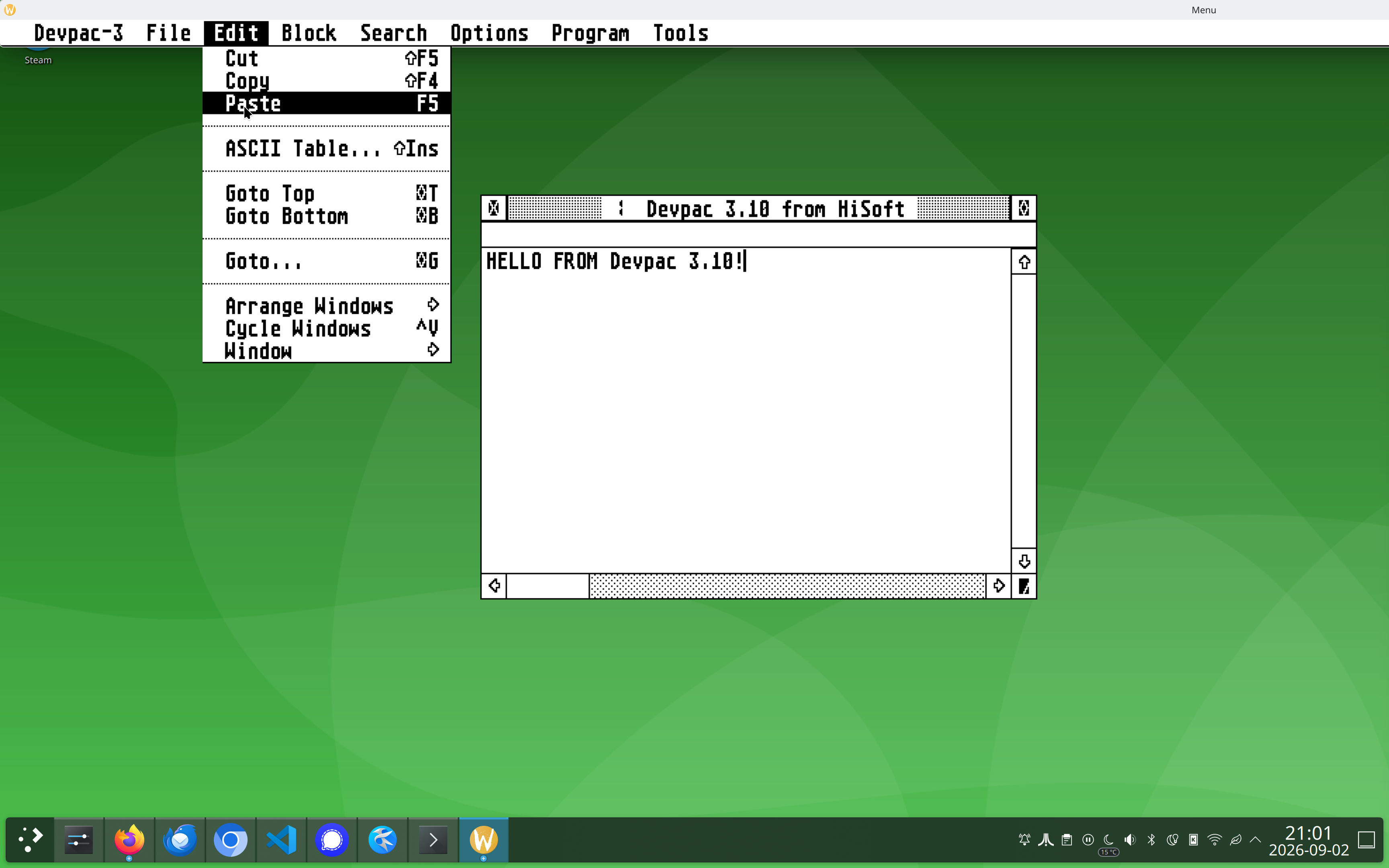
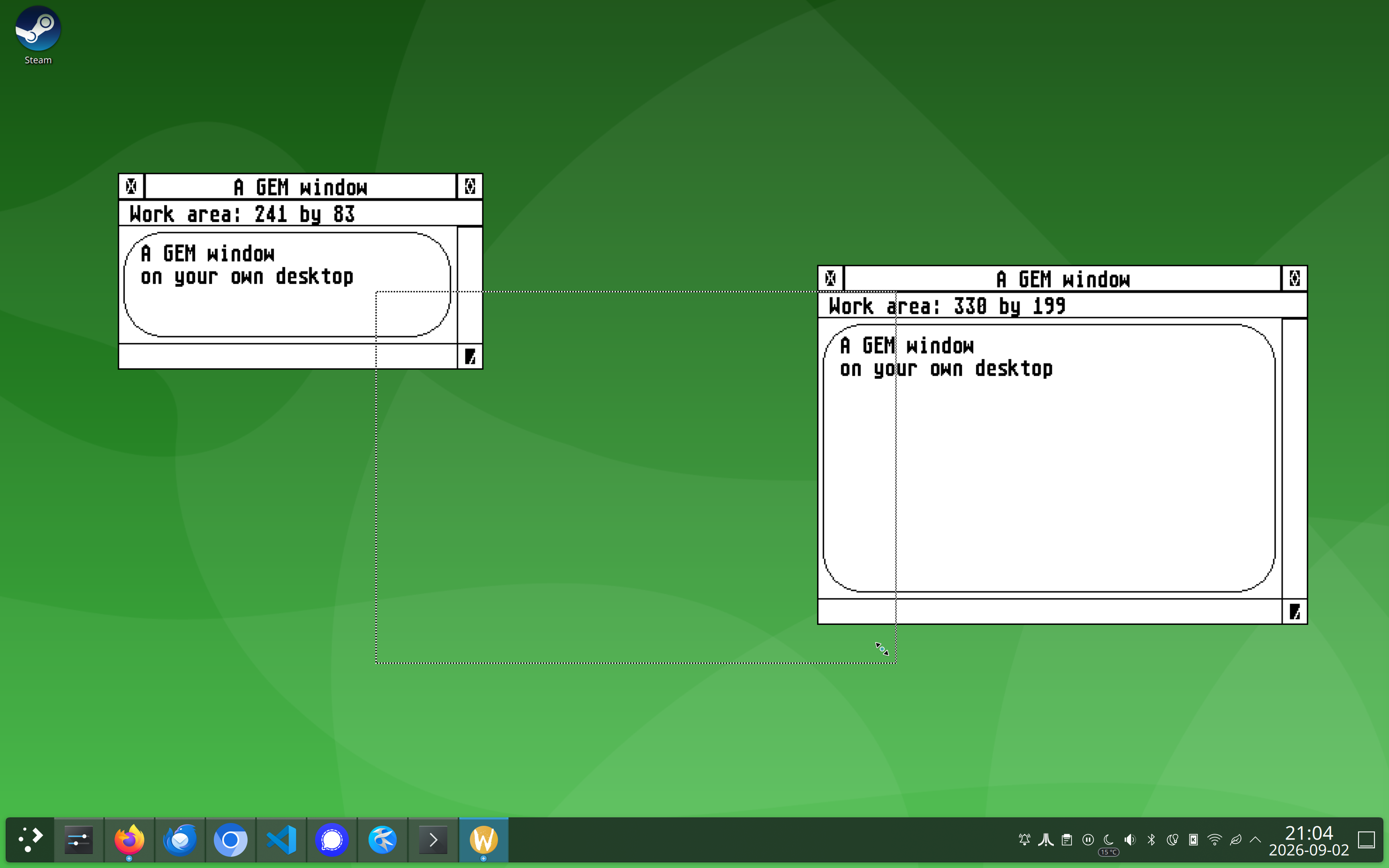
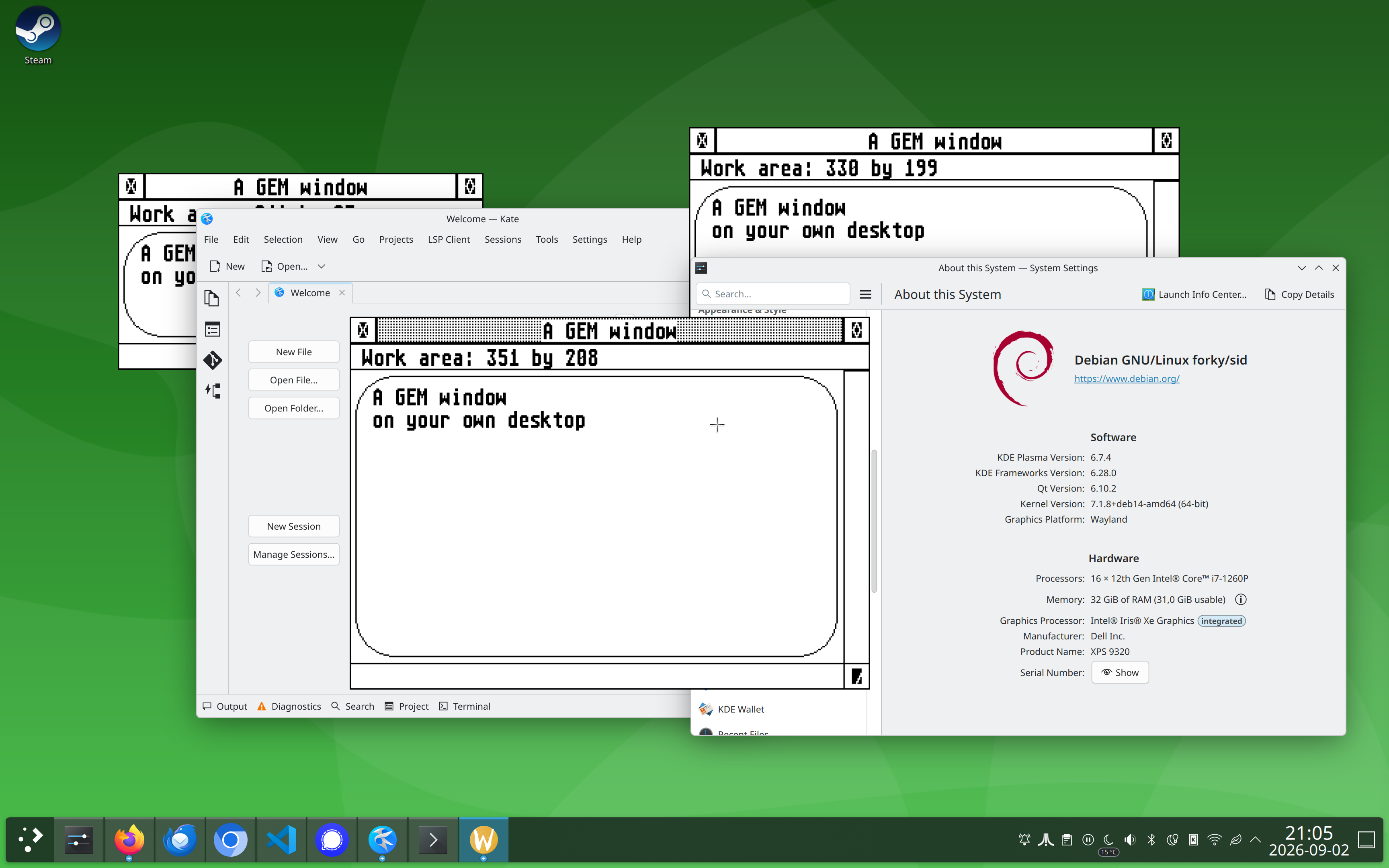
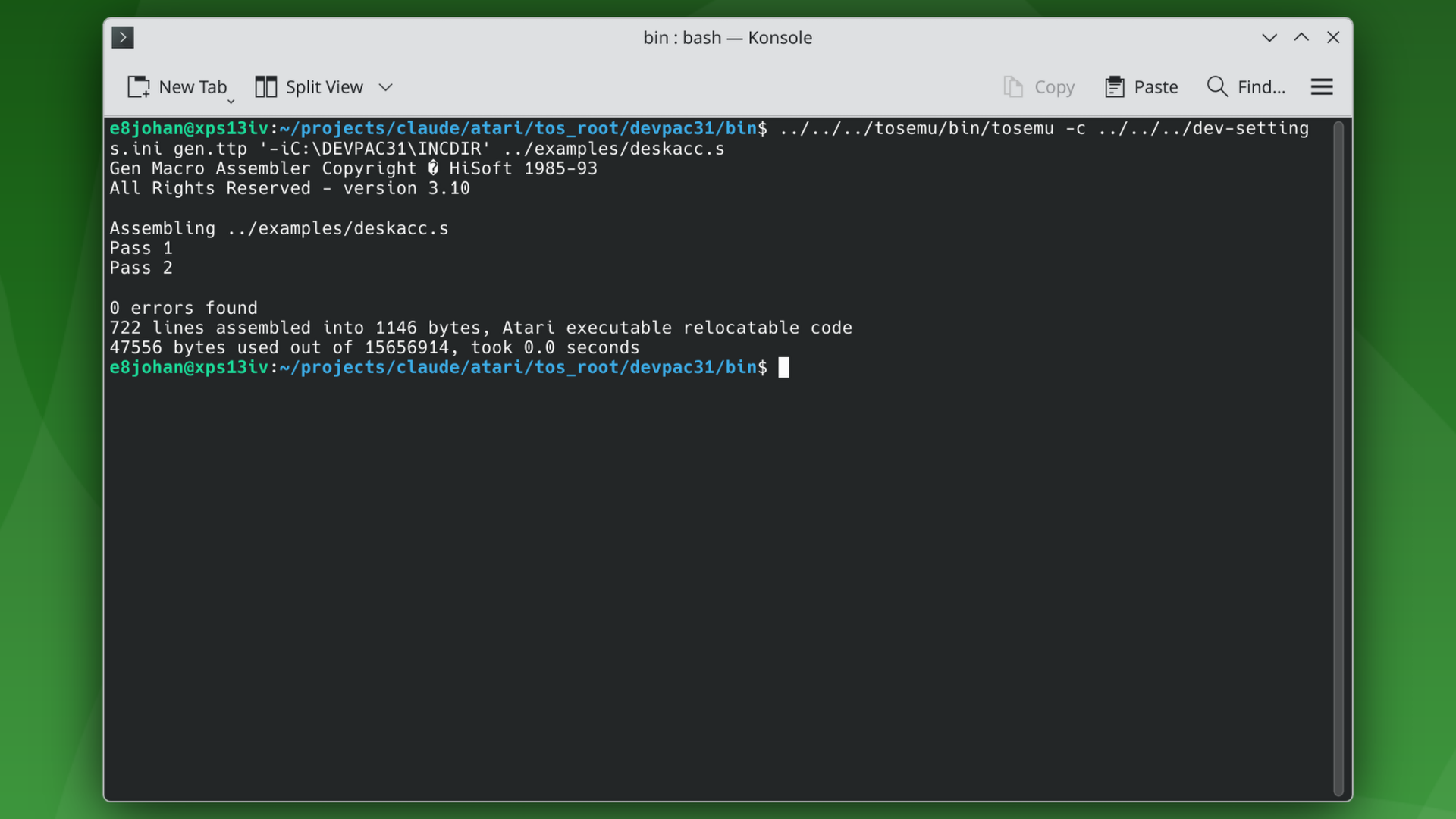
TTP programs such as compilers and linkers can be run directly from the Linux shell.
Trying it
TOSEMU is under development and is currently to be considered pre-alpha. It is prone to crashing, there are issues with window ordering, and many features are missing. That being said, we welcome contributions and help. Come play with us!
You need the Wayland development libraries to build, and the m68k-atari-mint cross tools if you want to run the test suite.
Clone the repo, build tosemu and the demos and run one of them:
git clone --recurse-submodules https://github.com/e8johan/tosemu.git
cd tosemu
make
make demos

./bin/tosemu demos/menu
To run a whole session, including accessories management, do something like this:
mkdir -p /tmp/gem && cp demos/DEMO.ACC /tmp/gem/
./bin/tosaesd -v /tmp/gem &
./bin/tosemu demos/menu
If you're brave, you can register TOSEMU with the kernel's binfmt_misc
and simply run TOS binaries as though they were native. The
README has the details, along
with the environment variables that pick a screen resolution, set the scale factor, and more.